
We’ve just launched a highly requested feature to give you a clearer, more accurate view of your workforce. You can now track who is genuinely ready to work using our new Availability Flags.
Take charge with manual controls
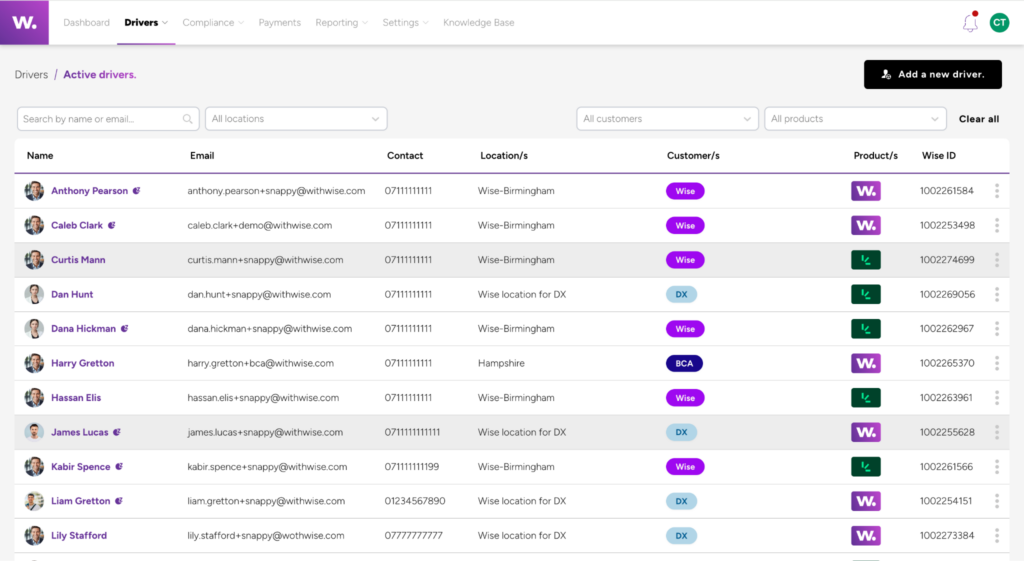
You can now manually set a user as unavailable to help organise your system. If the driver then becomes available again you can mark them as available.
- Available: Ready to work (row appears as normal)
- Unavailable: Not currently available to work (the row will appear greyed out)
Automatic compliance flags 🚩
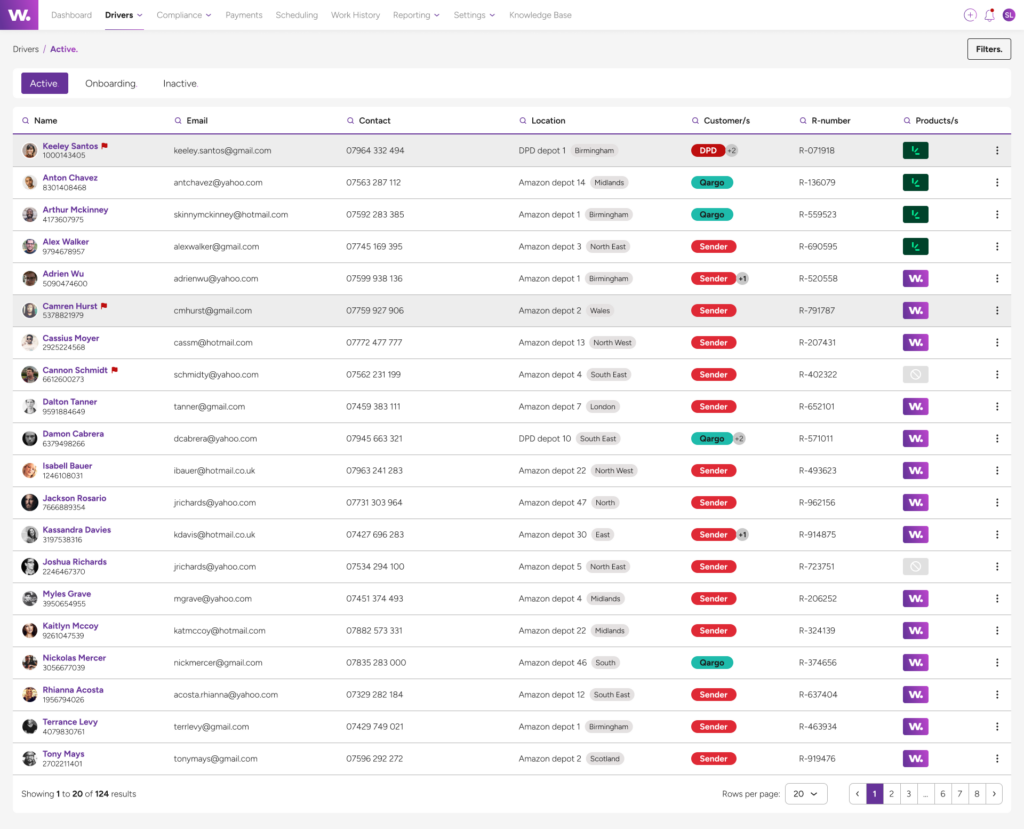
Alongside manual controls, we’re increasing your visibility on expired evidence. Going forward if a driver has expired evidence you’ll be able to see this quickly and easily in the driver table.
This feature works in conjunction with the Expiry Hub – essentially, any user with a red flag has ignored requests to upload updated information, and therefore is not compliant.
We’ve created some rules around how this works in conjunction with unavailability.
If a driver has expired evidence but not for all engagements, a red flag will appear, however, they will still be available.
If a driver has expired evidence for all engagements, a red flag will appear, the row will be greyed out and they will be marked as unavailable.
Once the expired documents are updated and approved, the red flag is removed and if applicable they are automatically made available again. These new flags now ensure that non-compliance is visible with ease.
💡 TIP: If you see a red flag, it’s a signal to chase for updated documents to keep drivers on the road. If the driver is no longer in use, it’s a great indication that it’s time to offboard them to keep your system clean.
In-app communication
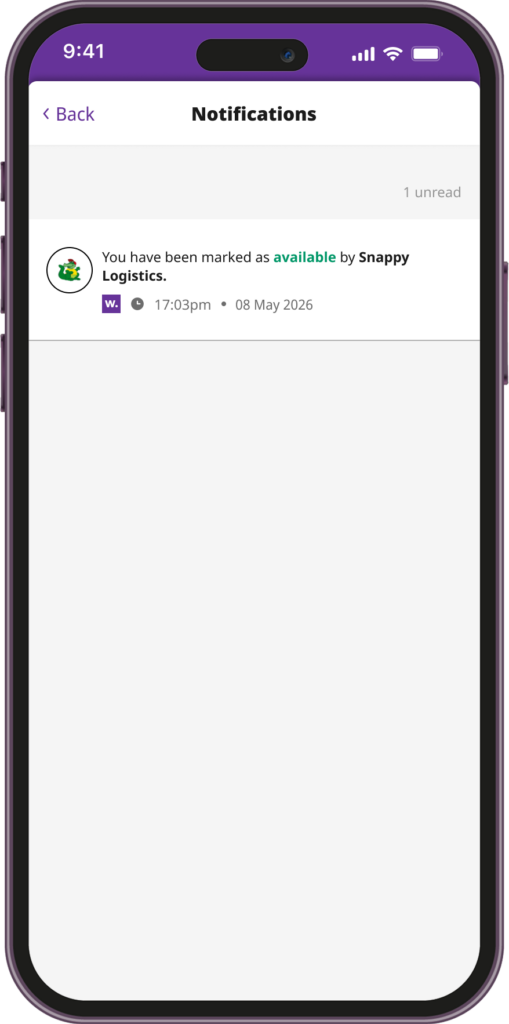
The Wise Platform also supports in communicating these changes to your workforce. Whenever a status change occurs, the driver is notified immediately in the app with clear reasoning why. This will prompt the driver to take action, helping them get back to “Available” status faster without needing to contact you directly.

Need to knows
- The unavailable or expired evidence flag does not affect payments
- Users with compliance-related restrictions cannot be manually overridden to “Available”
This new feature gives you a more reliable view of your active workforce, helping you allocate resources more efficiently whilst staying compliant.